Systeme.io Analytics: How to Track Sales, Funnels & Revenue (Complete Guide)
You see the notification: "New sale -- $47." Dopamine hit. You refresh the page. Another one.
Then the next week, nothing. And you have no idea what changed because you were watching the scoreboard instead of reading the game.
Systeme.io gives you a solid analytics layer -- funnel metrics, email stats, subscription tracking, and revenue breakdowns. The problem is most creators treat it like a slot machine (refresh, hope, repeat) instead of a diagnostic tool.
This guide is structured around your workflow: what to set up first, what to check during launches, and what to review every week and month to find and fix revenue leaks.
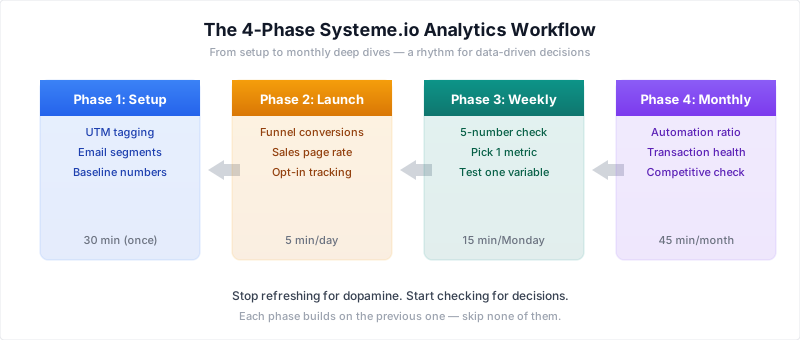
Phase 1: The Setup (Do This Once)
Before you can read your analytics, you need clean data flowing in. Spend 30 minutes on this setup and every future decision gets easier.
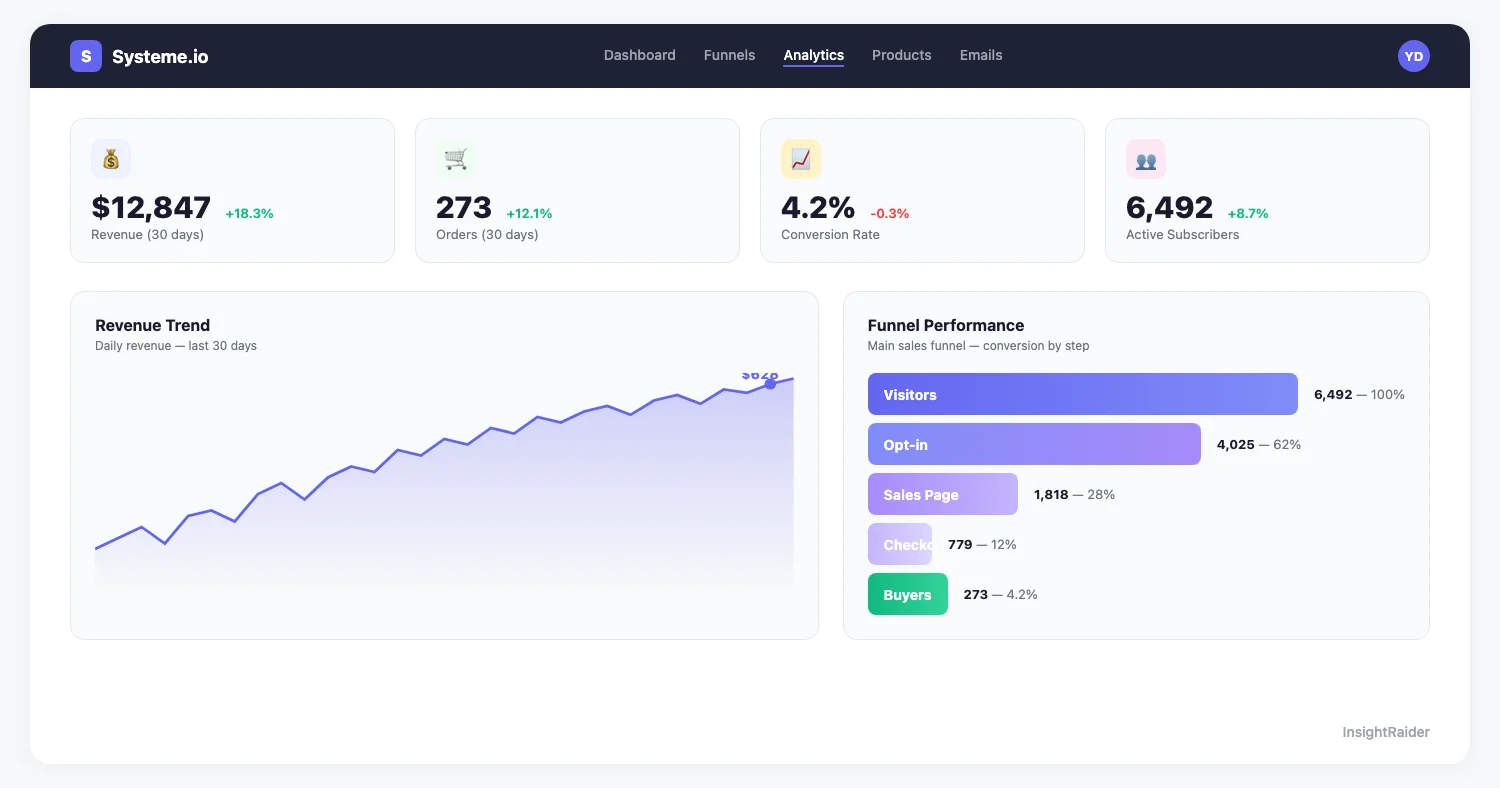
In your Systeme.io sidebar, go to Statistics to see your global overview. From there, navigate to Funnels → [your funnel name] → Statistics to see per-step conversion data.
Tag Your Traffic Sources
Systeme.io doesn't do cross-platform attribution natively. If a customer finds you on YouTube, reads your blog, then buys through your funnel, Systeme.io only sees the funnel visit.
The fix: Use UTM parameters on every link you share.
?utm_source=youtube&utm_medium=video&utm_campaign=launch-jan?utm_source=twitter&utm_medium=organic&utm_campaign=daily-post?utm_source=email&utm_medium=newsletter&utm_campaign=weekly-digest
Then use Systeme.io's contact tag system to segment contacts by origin. It's manual, but it's the difference between "I got 50 sales" and "YouTube drove 30 of those 50 sales."
Set Up Your Email Segments
Create at least 3 contact segments from day one:
- Engaged non-buyers -- opened 3+ emails, never purchased
- Buyers -- purchased at least one product
- Cold subscribers -- haven't opened in 30+ days
These segments change how you read every email metric. In a hypothetical list, a 25% open rate overall could hide 45% on engaged subscribers and 5% on cold ones. Without segments, you're averaging signal with noise.
Know Your Baseline Numbers
Before optimizing anything, record your current state. Open your Systeme.io dashboard and write down:
- Funnel conversion rate (end-to-end, visitors → buyers)
- Email open rate (last 10 emails)
- Active subscriptions (if applicable)
- Monthly revenue (last 3 months average)
These are your baselines. Every future optimization is measured against them.
For a complete overview of what Systeme.io offers beyond analytics, see our Systeme.io complete guide.
Phase 2: Daily Tracking (During Launches)
During a launch or promotion, check these numbers once a day. Not more -- you'll drive yourself crazy with hourly noise.
Funnel Step Conversions
Go to Funnels → [your funnel name] → Statistics to see per-step data. Systeme.io tracks visitors at each funnel step. Compare each step with your own baseline from Phase 1, not with a generic industry range: traffic source, price and audience warmth move these rates too much for one benchmark to diagnose your funnel.
| Funnel Step | What to Record | If It Drops, Check |
|---|---|---|
| Landing page → Opt-in | Visitors and opt-ins | Headline, lead magnet, form |
| Opt-in → Sales page view | Opt-ins and sales page visits | Email delivery, links, timing |
| Sales page → Checkout | Sales page visits and checkout starts | Offer clarity, price, proof |
| Checkout → Purchase | Checkout starts and paid orders | Payment errors, extra fields, trust |
The bottleneck principle: Don't optimize everything at once. Find the step with the biggest drop-off and fix that first. A 2x improvement at your worst step can double revenue without touching anything else.
Hypothetical example: If 1,000 people hit your landing page, 300 opt in (30%), 150 view the sales page (50%), 6 reach checkout (4%), and 4 buy (67%), your end-to-end conversion is 0.4%. If you can move the checkout step from 4% to 8%, you double your sales without more traffic.
Sales Page Conversion Rate
Your sales page conversion rate (visitors → purchases) is the single most important metric during a launch. What "good" looks like depends heavily on price point, traffic quality and audience warmth, so judge it against your own previous launches at the same price rather than a generic range.
Opt-In Rate by Landing Page
Each landing page has its own opt-in rate. During launches, this number tells you whether your lead magnet is working.
What moves opt-in rates:
- Headline specificity: "Free Guide" tells visitors almost nothing. A specific promise such as "The 7 Notion Templates That Saved Me 10 Hours/Week" (an example headline) tells them exactly what they get.
- Above-the-fold clarity: If visitors have to scroll to understand the offer, you've lost them.
- Form fields: Every field beyond email adds friction. Name + email is the max for cold traffic.
Phase 3: Weekly Review (Every Monday, 15 Minutes)
This is where you build the habit that separates growing businesses from stagnant ones.
The 5-Number Monday Check
Every Monday, open your dashboard and record these numbers:
1. Revenue this week vs. last week
Look for trends, not individual days. A single spike from a promotion tells you nothing new. What matters is the baseline -- your revenue on non-promotion days. If that baseline grows month over month, your business is healthy regardless of launch performance.
2. New contacts this week
Your email list is your most valuable asset. If list growth is flat, you have a top-of-funnel problem -- your content or ads aren't reaching new people.
3. Email open rate (last broadcast)
Compare it with your average over the last 10 broadcasts rather than an industry range.
If it's dropping week over week: your subject lines need work, your sending frequency is too high, or your list needs cleaning. If the decline continues, clean your list: remove subscribers who haven't opened in 60+ days.
4. Active subscriptions (net change)
If you sell memberships: new subscribers minus churned subscribers is your net growth. This is your most important number because it's predictable revenue.
5. Best-performing email this week
Which email in your sequences or broadcasts got the most clicks? Note the subject line, the topic, and the call to action. Do more of whatever that was.
The Weekly Decision
After recording your 5 numbers, ask: "What is the one metric that needs the most improvement this week?"
Focus your energy on that one metric. Test one variable: a new subject line style, a different CTA button, a rewritten headline on your landing page. Run each test for at least 200 visitors or 1,000 email sends before drawing conclusions.
Phase 4: Monthly Deep Dive (First Monday of Each Month)
This is where you make structural decisions -- not tweaks, but real changes to your funnels, pricing, or product mix.
Automation Revenue vs. Launch Revenue
This is the number that tells you if your business is a treadmill or a machine.
Track these separately:
- Launch revenue -- one-time broadcasts, promotions, limited-time offers
- Automation revenue -- evergreen email sequences, always-on funnels
The goal: a growing share of email revenue from automations, month after month. If you're dependent on launches and broadcasts for most of your income, you're on a treadmill: you have to keep running to stay in place.
How to calculate your ratio:
- Total revenue this month: $X
- Revenue from evergreen sequences (check automation stats in Systeme.io): $Y
- Automation ratio: Y / X × 100
If launches still bring in most of your revenue, your priority for the month is building or improving evergreen sequences. A 7-email welcome-to-sale automation keeps selling between launches once it's dialed in. That's revenue that doesn't require you to "launch" anything.
Transaction Health
Check your transaction log for patterns:
- Average order value (AOV): Total revenue / number of transactions. If AOV is declining, your upsells aren't working or you're discounting too much.
- Revenue per customer: Total revenue / unique customers. If this is higher than AOV, you have repeat buyers -- that's a strong signal.
- Refund rate: Track it month over month. A rising refund rate usually means your sales page is overpromising.
Subscription Metrics (If Applicable)
If you sell memberships or subscriptions:
| Metric | What It Tells You |
|---|---|
| MRR (Monthly Recurring Revenue) | Your baseline predictable income |
| Churn rate | % of subscribers who cancel each month |
| LTV (Lifetime Value) | Average total revenue per subscriber (= price / churn rate) |
| New vs. churned | Net subscriber growth |
Watch the churn trend and the LTV formula together: if churn climbs, average subscriber lifetime shrinks with it. When churn keeps rising, your content or community isn't delivering enough ongoing value, and no amount of acquisition will fix that.
The Competitive Gut Check
Once a month, spend 10 minutes looking at what's happening in your broader market. Your Systeme.io analytics tell you how you're doing. They can't tell you how you compare to others in your niche.
Tools like InsightRaider show modeled revenue estimates and pricing patterns for 500K+ products across Gumroad, Whop and Skool (Systeme.io itself is not covered). Comparable offers on those marketplaces are useful for a monthly sanity check on whether your prices and positioning still make sense; the methodology explains what the estimates can and cannot tell you.
If you're deciding between platforms, our Gumroad vs Systeme.io comparison breaks down the differences. For Whop sellers, we have a separate diagnostic-based analytics guide built around a different framework.
The Limits of Systeme.io Analytics
Let's be honest about what's missing.
- Cross-platform attribution: You need UTM parameters and manual tagging (see Phase 1 above). Systeme.io won't tell you that YouTube started a customer journey.
- Cohort analysis: Systeme.io doesn't natively group customers by signup date. You'll need spreadsheets for cohort-level insights.
- A/B testing: The built-in testing is basic. For serious split testing, run sequential tests or integrate a third-party tool.
- Competitor benchmarking: You can't see what others earn. Market data tools add context with public signals and modeled estimates, not exact earnings.
The workaround for attribution is UTM parameters on everything (covered in Phase 1). For the rest, spreadsheets are your friend -- export your transaction data monthly and build simple cohort or A/B analysis in Google Sheets.
Your Analytics Rhythm (Summary)
| When | What | Time |
|---|---|---|
| Setup (once) | UTM tagging, email segments, baseline numbers | 30 min |
| Launch days | Funnel step conversions, sales page rate, opt-in rate | 5 min/day |
| Every Monday | 5-number check, pick one metric to improve | 15 min |
| First Monday of month | Automation ratio, transaction health, subscriptions, competitive check | 45 min |
Stop checking your dashboard for dopamine. Start checking it for decisions.
Systeme.io shows you your own data. But how does your niche compare to the market? InsightRaider covers 500K+ products across Gumroad, Whop and Skool, with modeled revenue estimates, pricing and competition signals for comparable offers. See what it covers.
More comparisons: Systeme.io vs Lemon Squeezy · Whop vs Systeme.io